Dear Players!
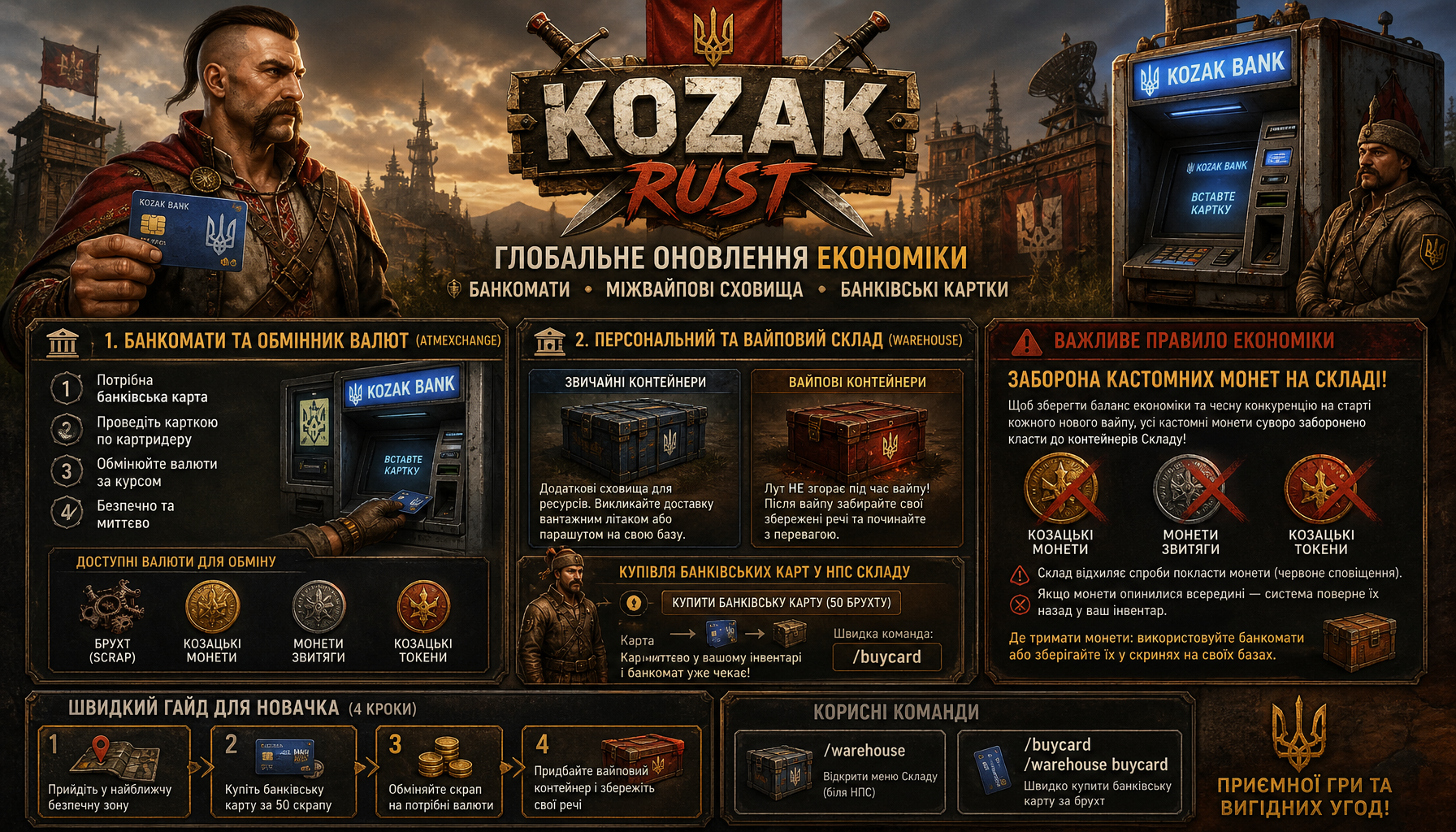
We are excited to introduce a massive server update. Survival is now even more strategic and thrilling with the full integration of two key systems: Physical ATMs and Personal Warehouse.
Say goodbye to the fear of losing all progress during a wipe or the hassle of currency exchanges — here's how it works!
🏦 1. ATMs and Currency Exchange (ATMExchange)
Fully interactive ATMs have appeared in safe zones and at key monuments. This is the server's main financial hub, where each player can safely store funds and convert resources.
💳 How to use an ATM:
- You'll need a Bank Card: The ATM works like in real life. To access the terminal, you must have a Bank Card (a blue access card with a branded chip) in your hand or inventory.
- Interaction: Approach the ATM and swipe your card at the card reader.
- Exchange Point: In the ATM's convenient interface, you can exchange currencies at set rates:
- Scrap
- Kozak Coins
- Victory Coins
- Kozak Tokens
- All transactions are instant, safe, and risk-free from being robbed during the exchange.
🏬 2. Personal and Wipe Warehouse
Next to ATMs are Warehouse NPCs — licensed guards of your valuables. The Warehouse system solves two main tasks: unloading home chests and preserving progress after a wipe.
📦 Types of Containers:
- Regular Containers: Convenient additional storage for large amounts of resources that can be managed remotely or summoned for delivery by cargo plane/parachute using a signal grenade directly to your base's rooftop.
- Wipe Containers: The most valuable advantage! Any loot placed in a wipe container does NOT disappear during a server's general wipe. After a wipe, you start with the opportunity to retrieve your pre-saved items.
🛒 Buying Bank Cards from the Warehouse NPCs:
No more searching for cards in crates or trading with other players:
- Approach the Warehouse NPC and open the storage menu.
- On the top panel, click the stylish tab
BUY BANK CARD (50 SCRAP). - The card is immediately issued to your inventory, and you can instantly use the nearby ATM!
- A quick command in chat is also available:
/buycard.
⚠️ Important Economic Rule: No Custom Coins in the Warehouse!
🛑 Please note:
To maintain a healthy economic balance and fair competition at the start of each new wipe, all custom coins are strictly forbidden from being placed in Warehouse containers!
- Prohibited items in the warehouse: Kozak Coins, Victory Coins, Kozak Tokens.
- How it works:
- The warehouse physically rejects any attempts to drag coins into the container (you will see a red notification).
- If coins somehow end up inside, the warehouse's security system will automatically eject them back into your inventory when you open the container.
- Where to keep coins: Use ATMs or store them in chests at your base.
🧭 Quick Guide for Beginners (Start in 4 Steps):
- Step 1: Go to the nearest safe zone (Bandit Camp, Outpost, etc.).
- Step 2: Find the Warehouse NPC, open the menu, and purchase a Bank Card for 50 scrap.
- Step 3: Approach the ATM, swipe your card, and exchange excess scrap for rare coins or trading currency.
- Step 4: Purchase a Wipe Container, place your favorite resources and blueprints in it, and be 100% confident that you will face the next wipe fully prepared!
Enjoy the game and profitable financial transactions on our server!